Creating embroidery patterns: Would you like to try it yourself?
Do you want to create the embroidery pattern yourself? Do you want to embroider a portrait yourself?
Before you upload a photo to any computer program, here's what you should take care of 👀:

-
Are there large shadows on the face?

-
How complicated will the embroidery design be?
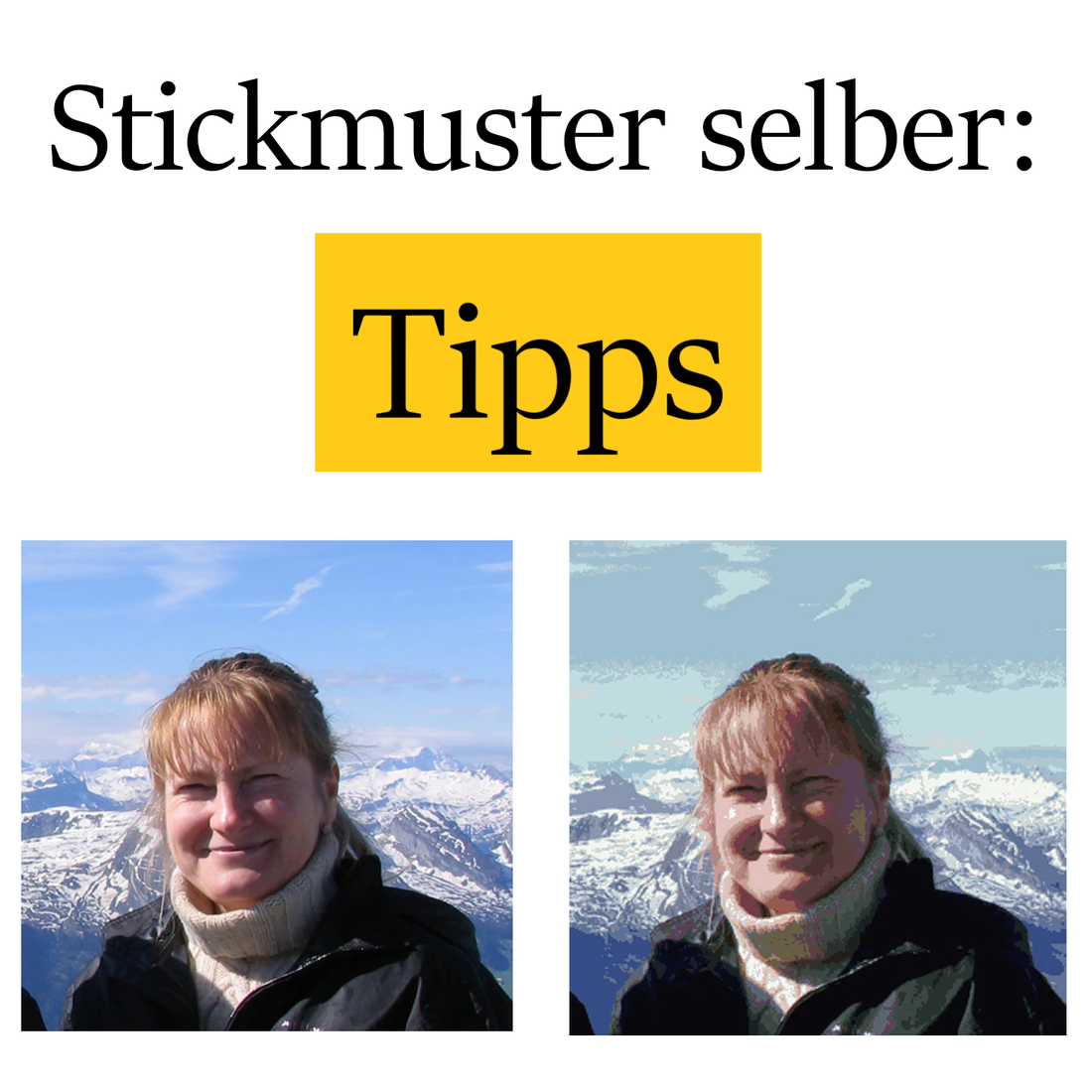
We are showing you only one color across two embroidery patterns.
- Do you want to show the entire background on the embroidery pattern?
The original photo, the embroidery prototype, the embroidered image without a background.
- Do you also want to show the other objects on the embroidery pattern?

- Is the face well centered on the embroidery pattern?

- Do you want the eyes to show up well in the embroidery design? Do the colors suit the eyes and face? The eyes can be adjusted in the embroidery design.

- Have you considered which canvas and stitch size you want?

- Should I embroider with wool or cotton, and which brand?

- Do you want to place the embroidery design in an available frame?

- Cross stitch or half cross stitch?

-
How big will my embroidery picture be?
Depending on the fabric option, the material price and image size will vary.
-
How many hours are you willing to spend embroidering?
We have answered the last two questions here .
Don't rely solely on the computer; consider all these factors. Being able to edit your photo in Photoshop will help.
We're happy to help you: Creating an embroidery pattern in Photoshop