New trend: I want to embroider a picture of my photo portrait.
Do you want to embroider your own image and create an embroidery pattern?
What you should know so you're not disappointed with the result.
The number of pixels in your photo, the color balance, the shadows and edges of the photo, the background - all of this affects your future embroidery design.

You will be spending a lot of time embroidering, and it would be a shame to suddenly notice during the work that your face is too red or that your blue eyes are unfortunately turning brown.
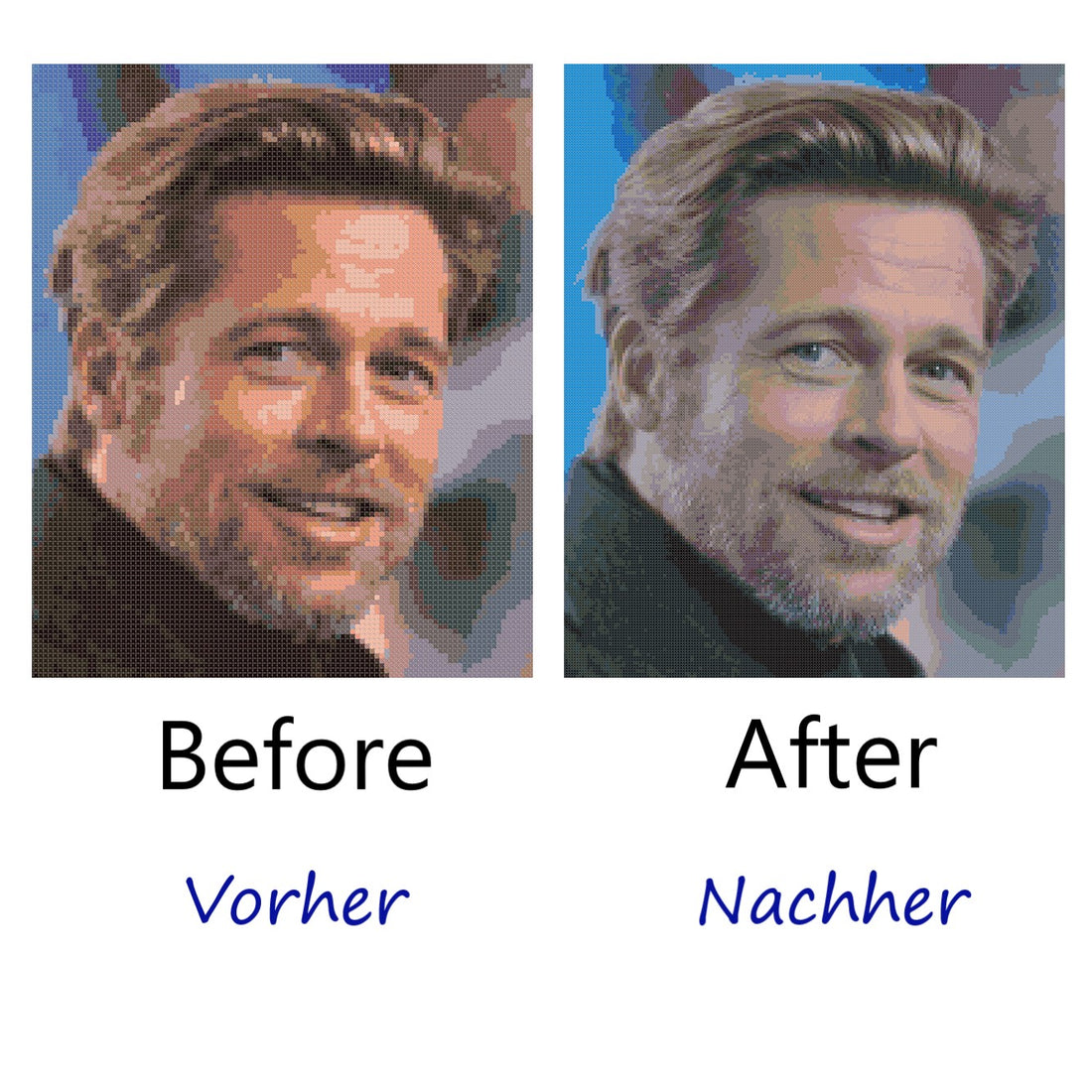
The computer's "electronic eye" transforms every tiny detail of your photo into colors and stitches that ultimately won't satisfy you. Your eye barely notices the nuances immediately, but only during the stitching process. Therefore, you shouldn't rely on simple, free programs or a quick, standard conversion of your image into a template.
First option - embroidery pattern (computer scheme) without manual adjustments:

Manual adjustments in two steps:


And the last, third option with manual adjustments is our winner:

What should be considered to create a quality embroidery pattern?
-
The stitch size
-
The number of stitches in your image
-
The color balance
-
The shadows and edges of the photo
-
The background
-
The optimal number of colors
-
The right canvas
Once the embroidery pattern is created, a decision can be made:
-
Cross or half cross stitches
-
How many strands of thread should I use for embroidery?
-
Which type of embroidery thread?
Finally, it is possible to estimate how much embroidery thread is needed.